minesweeper
マインスイーパー
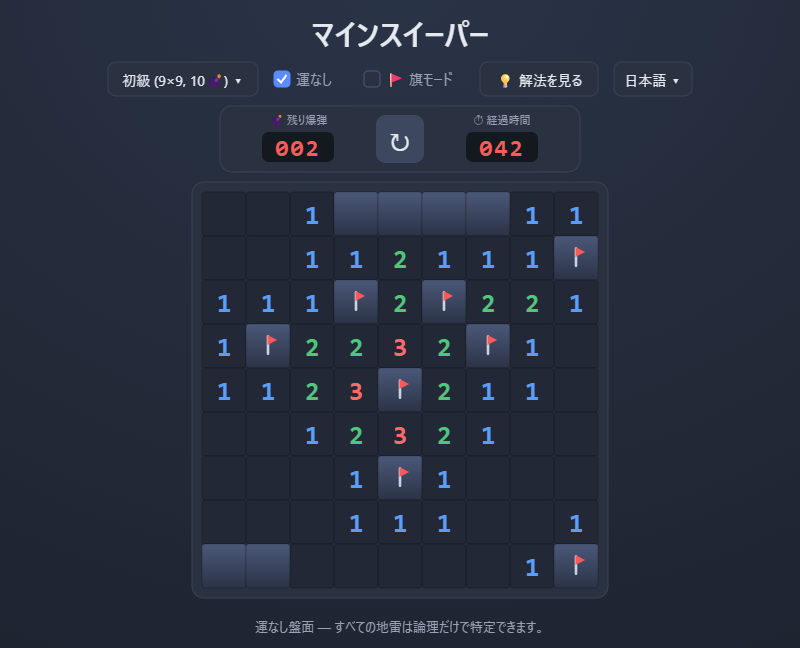
「解けない」を「なるほど!」に。詰まったら解き方を一手ずつ見せてくれるマインスイーパーです。
解法モード(解き方を表示)
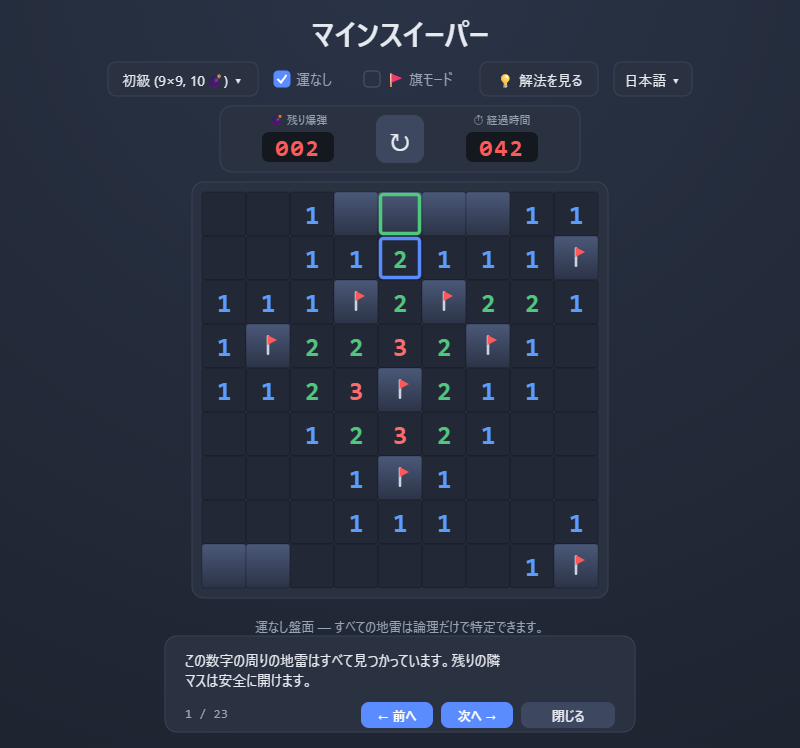
手が分からなくなったら「解法を見る」を押すと、いまの盤面に対して一手ずつ解き方を再生します。根拠となる数字のマスと、そこから確定するマスを盤面上で色分けして示し、「周囲の地雷はすべて見つかっているので残りは安全」「2つの数字を見比べると差分のマスが地雷」といった理由を表示します。解き方の練習や、詰まった原因の確認に使えます。通常モード(運が絡む盤面)でも、論理で確定できるところまでは解説し、推測が必要になった時点でその旨を知らせます。
運なしモード
通常のマインスイーパーでは、終盤に「どちらに地雷があるか分からず、勘で開くしかない」場面が生じることがあります。運なしモードでは、そうした推測(運)が必要な配置を排除し、現在見えている数字だけから論理的に最後まで解ける盤面だけを使います。オフにすれば、運が絡む従来どおりのルールでも遊べます。
難易度とカスタム盤面
- 初級:9×9・地雷10
- 中級:16×16・地雷40
- 上級:30×16・地雷99
- カスタム:幅・高さを5〜40、地雷数も自由に設定可能
その他
- 日本語/英語に対応
- 画面サイズに合わせて盤面が自動調整。スマートフォンのタッチ操作にも対応
- インターネット接続なしで動作します
操作方法
- 左クリック/タップ:マスを開く
- 右クリック/長押し:旗を立てる/外す
- 数字をクリック:周囲の地雷数と同じ数の旗が立っていれば、周囲を一括で開く
- 「旗モード」をオンにすると、タップで旗を立てられます(タッチ操作向け)
Minesweeper
Turn “I’m stuck” into “I see!” — a Minesweeper that shows you the solution, one move at a time.
Show Solution mode
If you get stuck, press “Show Solution” and it replays the solution one move at a time on your current board. It highlights the number cells used as evidence and the cell they determine, and explains the rule — for example, “all mines around this number are found, so the rest are safe,” or “comparing these two numbers shows this cell is a mine.” It is useful for learning techniques or seeing where you got stuck. On classic (luck-allowed) boards it explains as far as logic can go, then tells you when a guess is required.
No-Guess mode
In ordinary Minesweeper you can reach a point where it's impossible to tell which cell hides a mine, leaving you to guess. In No-Guess mode, those situations are eliminated: only layouts that can be solved to the end using nothing but the numbers already on the board are used. You can also turn it off to play the traditional, luck-allowed rules.
Difficulties and custom boards
- Beginner: 9×9, 10 mines
- Intermediate: 16×16, 40 mines
- Expert: 30×16, 99 mines
- Custom: width and height from 5 to 40, with a freely chosen mine count
Other
- English / Japanese
- The board scales to fit your screen and supports touch input
- Works offline
Controls
- Left click / tap: reveal a cell
- Right click / long-press: place or remove a flag
- Click a number: if its flags match its count, open all surrounding cells
- Turn on “Flag mode” to place flags by tapping (handy on touchscreens)
Download
Click download now to get access to the following files:
Development log
- v1.0.0 公開しました55 days ago
Leave a comment
Log in with itch.io to leave a comment.